

Connect Slack
Human handoff doesn’t have to live in the dashboard. Connect Slack and your team can pick up live conversations from a Slack channel — replies you post in the thread reach the visitor in the widget, and the conversation still shows up in your dashboard inbox.Slack live-chat handoff is a premium feature, available on the Pro and Business plans. See Pricing Plans.
How It Works
When a visitor asks for a human, BestChatBot opens one thread per conversation in your chosen Slack channel. Anyone on your team replies in that thread; the visitor sees the replies in the widget, and messages stay in sync with your dashboard inbox.Connect Slack to Your Widget
You need an Editor, Admin, or Owner role, on a plan that includes Slack.
Open the Slack tab
In your workspace dashboard, open Web Widget → Slack, then click Connect Slack.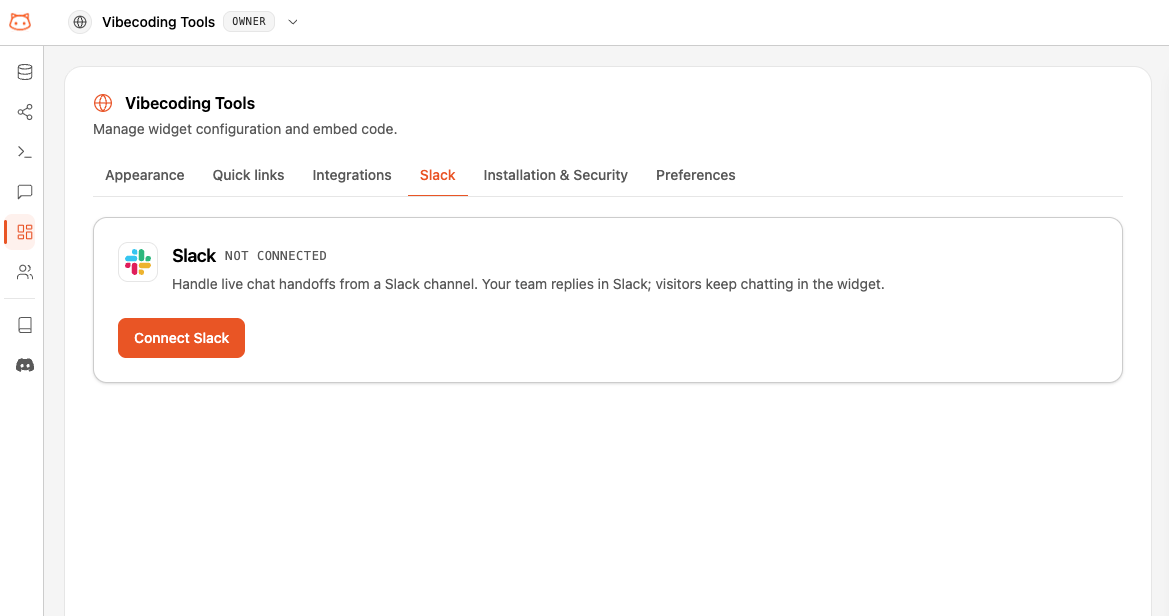
Authorize the BestChatBot Handoff app
A Slack window opens. Sign in and approve the BestChatBot Handoff app for your Slack workspace. It requests only the scopes it needs to post and read handoff threads — it can’t leave your channels on its own.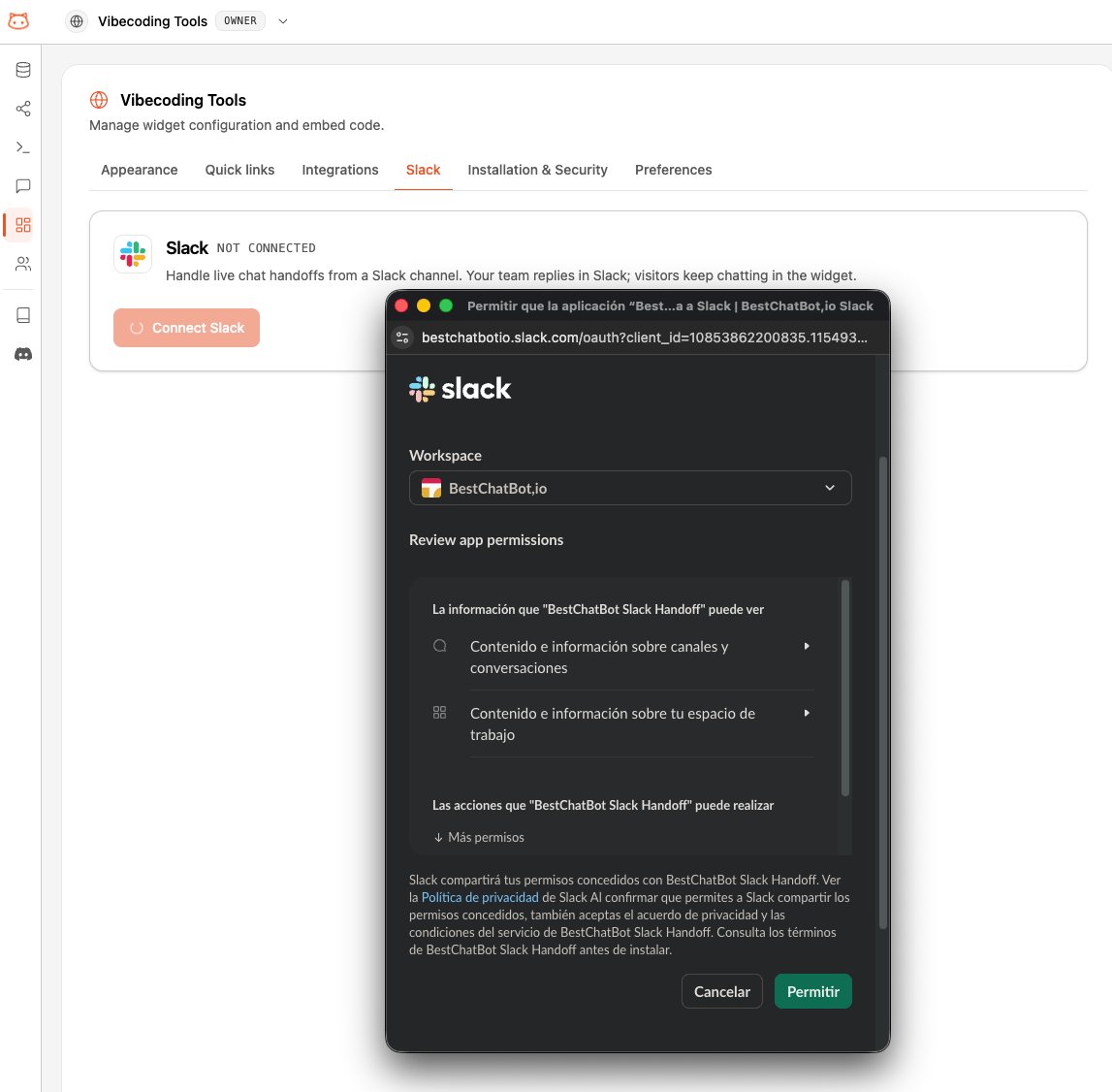
Pick a channel
Back in BestChatBot, choose the Slack channel where handoffs should land.For a private channel, invite the BestChatBot Handoff bot to it first — private channels only appear in the list once the bot is a member.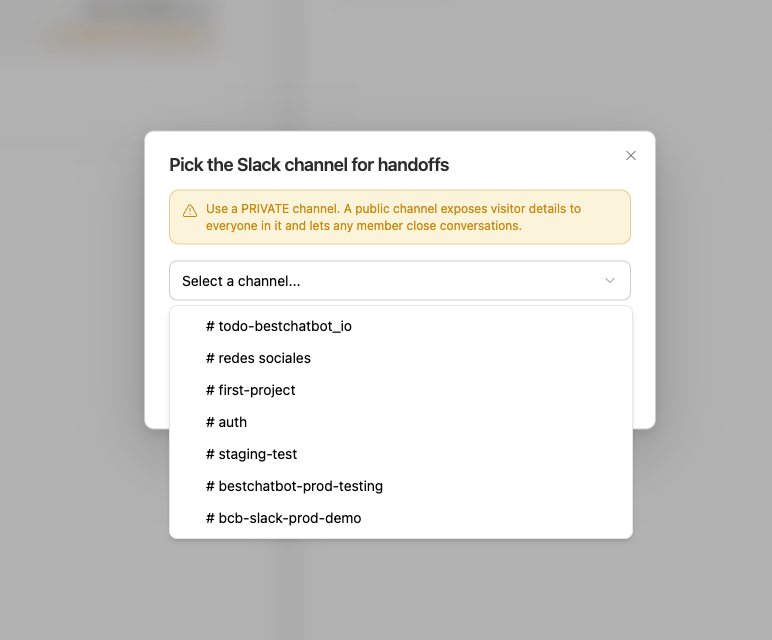
You're connected
The Slack tab shows your connected Slack workspace and channel, with options to Change channel or Disconnect.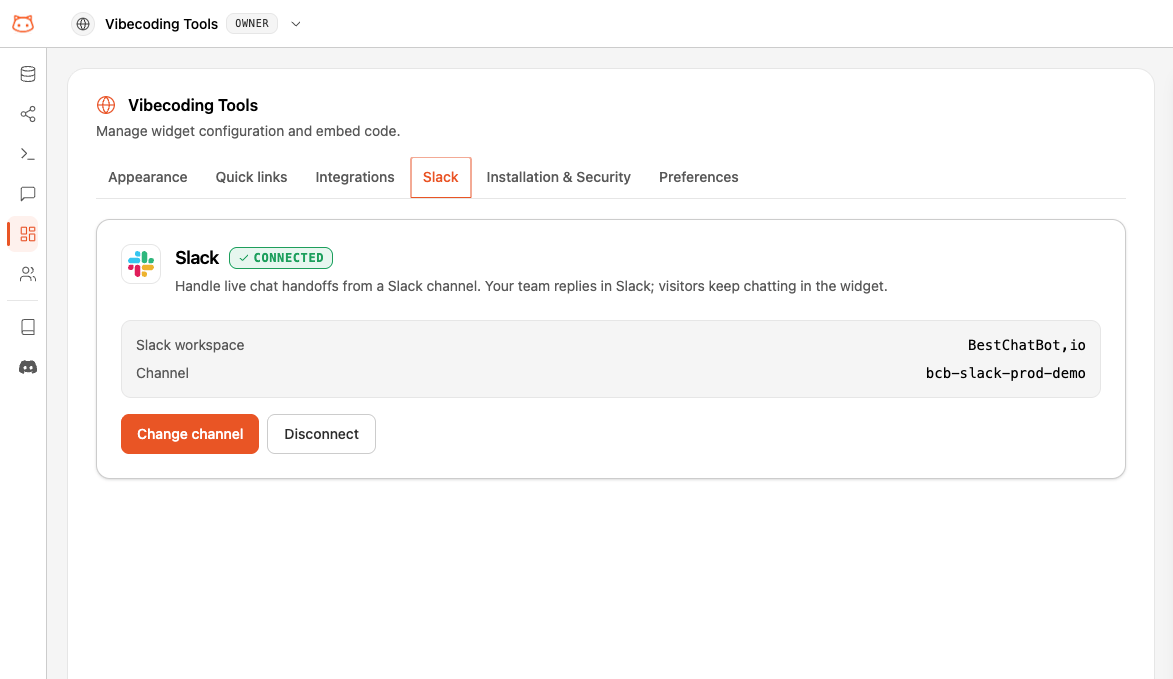
Handling a Handoff in Slack
When a visitor requests a human, a thread opens in your channel titled New user handoff request, with a card showing who the visitor is (name, email, ID, or “Anonymous visitor”) and a link to open the conversation in your dashboard.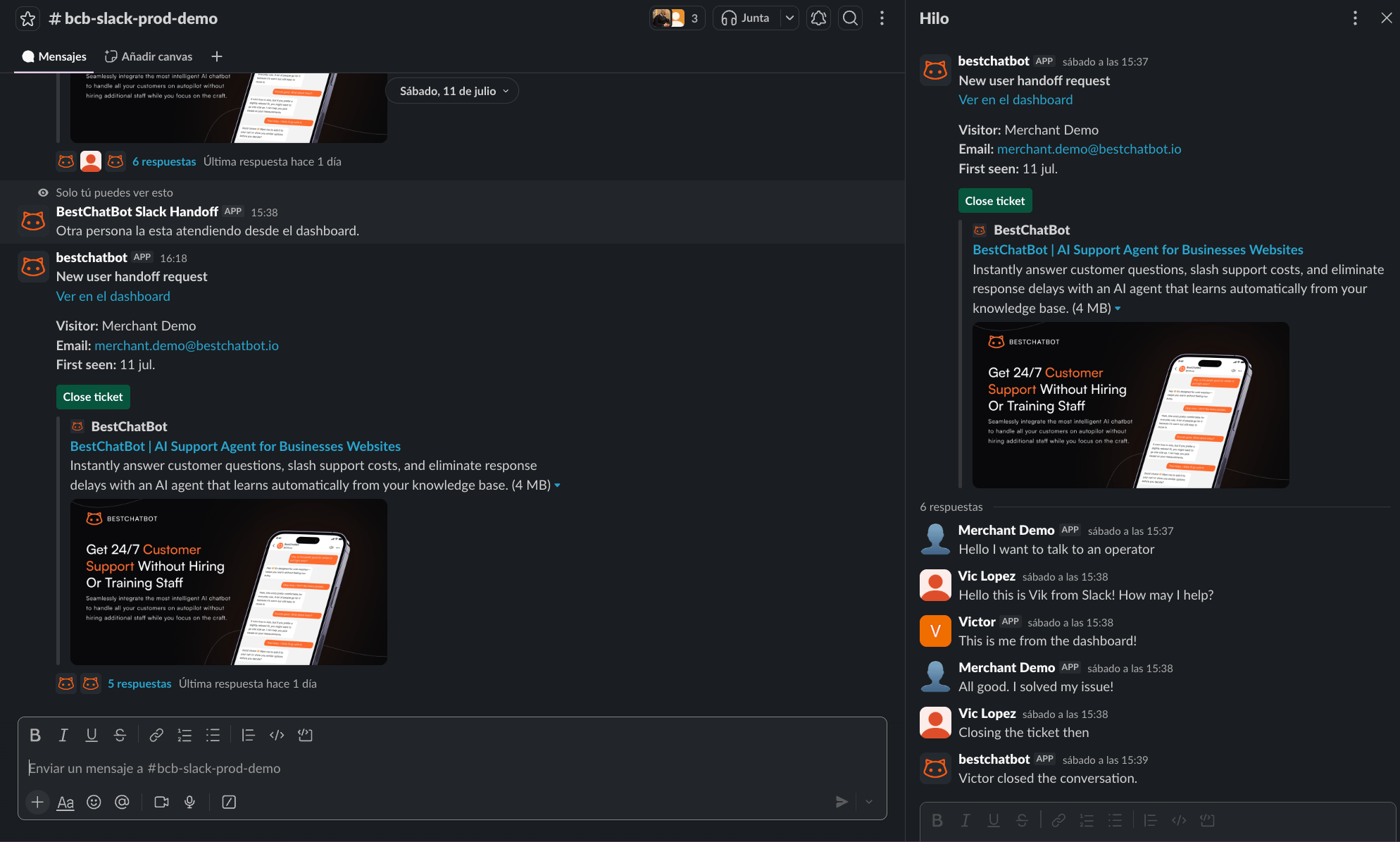
- Reply in the thread to answer the visitor — your message appears in their widget.
- The visitor’s messages and any dashboard-operator replies are mirrored into the thread, so the whole exchange stays in one place.
- Click Close ticket when you’re done. The thread is marked resolved and the handoff ends.
Slack is an alternative to the dashboard, not a replacement. The same conversation still appears in your dashboard’s live inbox, tagged so you can see it’s being handled in Slack.
Privacy
When you enable Slack handoff, visitor conversation data is shared with Slack to deliver it to your channel. Slack is listed as a third-party service in our Privacy Policy. Using a private channel keeps that data limited to the team members you invite.Disconnecting
Open Web Widget → Slack and click Disconnect. Handoffs stop going to Slack right away and return to dashboard-only. You can reconnect anytime — your channel choice is remembered.Availability
Next Steps
Human Handoff
See how live chat works in the dashboard, including AI-drafted replies.
Pricing Plans
Compare plans and find the one that includes Slack handoff.