

HubSpot
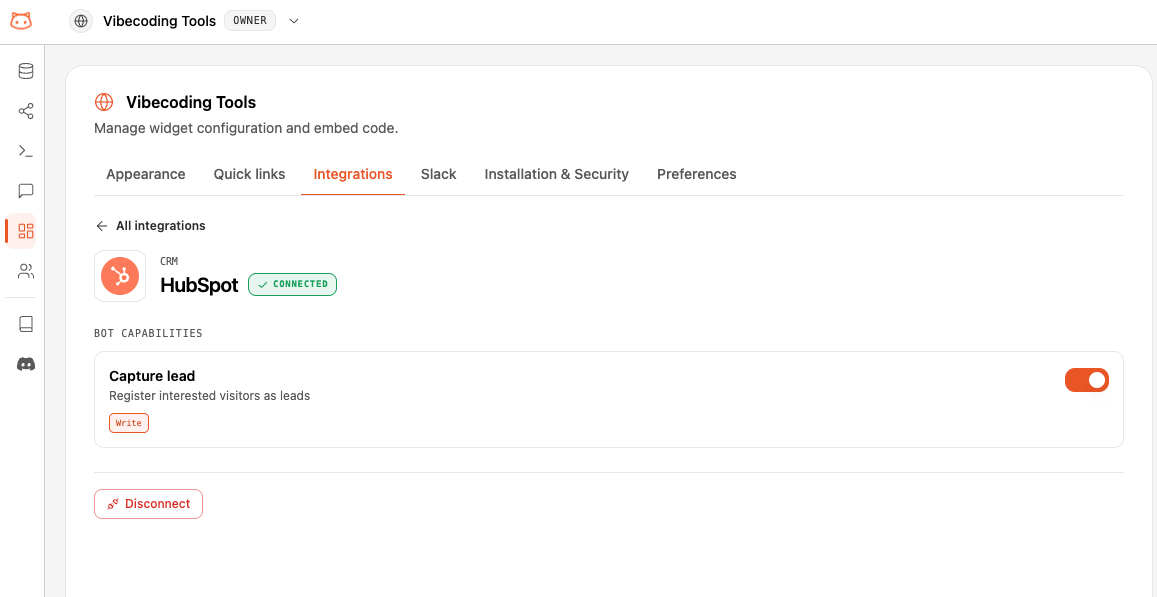
Category: CRM. Connect HubSpot and your widget can capture leads for visitors, right inside the chat.Integrations are available on the Pro and Business plans.
What This Bot Can Do
The bot does exactly these actions, nothing more. “Needs sign-in” means the visitor must be identified first; otherwise the bot gives a safe, neutral answer.What It Can’t Do
HubSpot is scoped to the actions above. It does not:- Look up, search, or update existing contacts
- View deals, companies, or pipelines
- Do anything beyond capturing a new lead
How to Connect
Connecting an integration requires an Editor, Admin, or Owner role, on the Pro or Business plan. See Members & Roles.
Open Integrations
In your workspace dashboard, open your Web Widget → Integrations tab and find HubSpot.
Connect and authorize
Click Connect. A secure popup opens — sign in to HubSpot, choose the account to connect, and authorize access. You never type credentials into BestChatBot.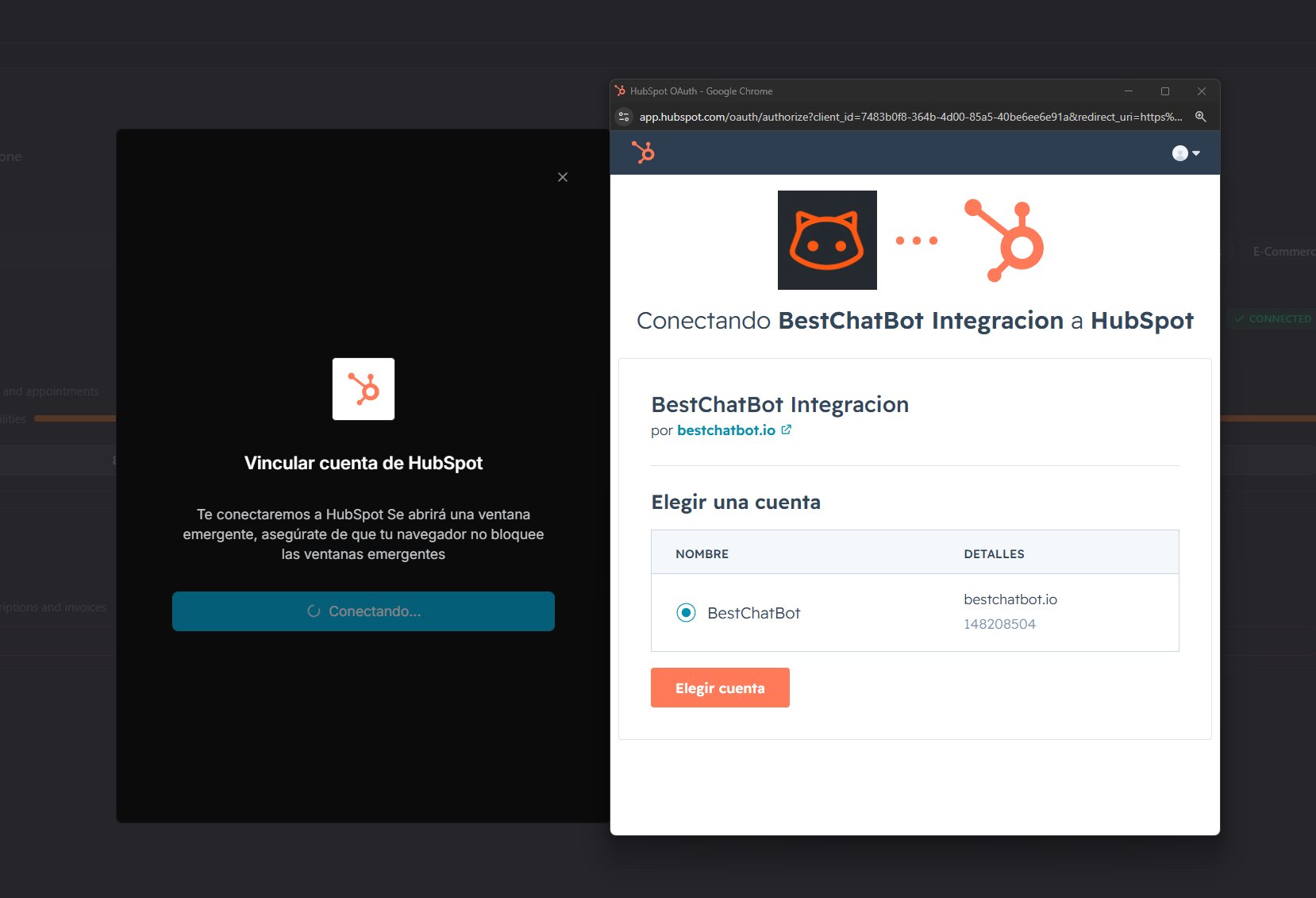
One per Category
HubSpot is the only option in the CRM category, so it never conflicts with another integration.Availability
Next Steps
All Integrations
See the full catalog and how categories work.
Agentic Actions
Learn how the bot turns a request into a real action.