

Agentic Actions
Most chatbots can only tell visitors things. BestChatBot can also do things. With Agentic Actions, your widget connects to the tools your business already uses, like your calendar, your help desk, your store, and your billing, and performs real actions on the visitor’s behalf, right inside the chat.Agentic Actions are available on the Pro and Business plans. See Available Integrations for the full list of supported tools.
From Answering to Acting
A regular bot answers from your knowledge base. An agentic bot does that and can take the next step for the visitor:How It Works
The visitor describes what they need
They type naturally, like “I’d like to schedule a demo” or “Check my subscription.”
The bot understands the intent
It decides whether the visitor wants an action, an answer from your knowledge base, or just to chat, then picks the right tool for the job.
The bot offers the action as a button
Instead of guessing, the bot presents the matching action (for example, Book a Call) and, when needed, a short form to fill in.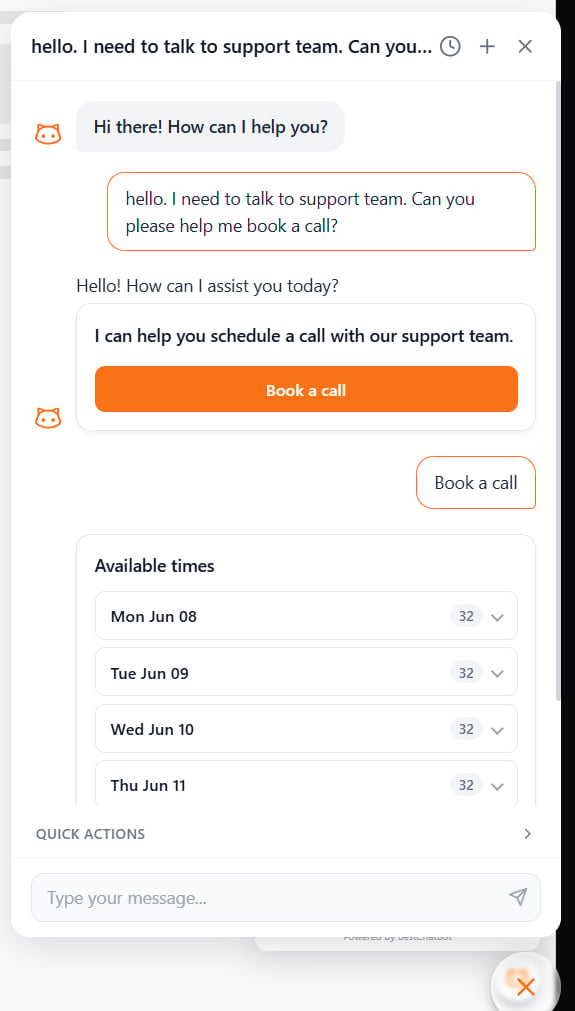
The visitor confirms
The action runs only when the visitor clicks the button or submits the form, never from a loose phrase.
The bot returns the result
The meeting is booked, the ticket is created, the order status appears, all right in the conversation.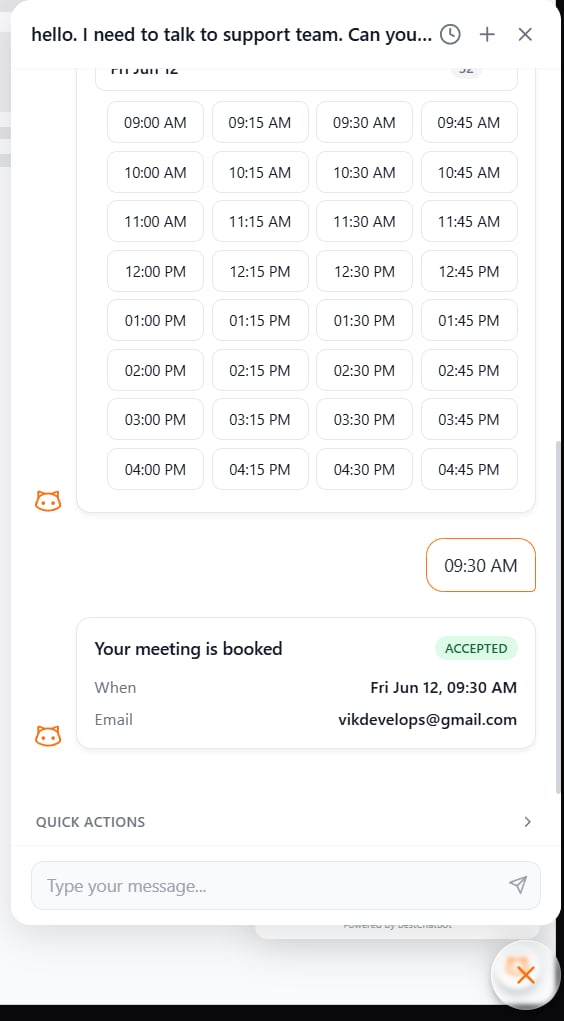
The Visitor Is Always in Control
Actions never fire just because the bot interpreted a sentence. They run when the visitor explicitly clicks the action button. This prevents surprises and keeps every action intentional.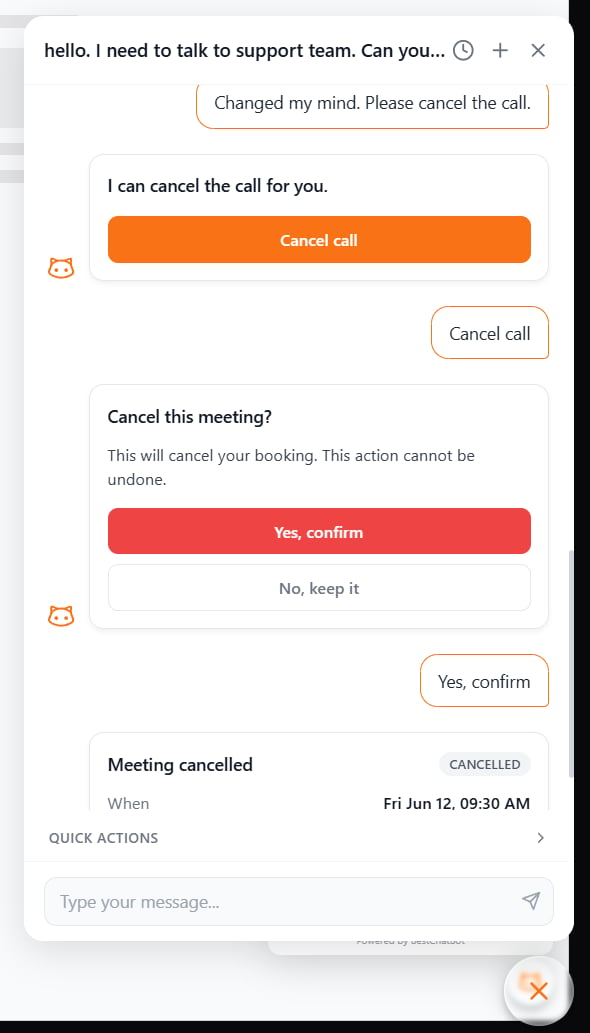
Identity-Aware Actions
Some actions are personal, like looking up your orders, your invoices, your subscription. The bot only runs these when it can confirm who the visitor is.- Identified visitor → personal actions run normally (e.g., “show my recent orders”).
- Anonymous visitor → the bot gives a safe, neutral response instead of guessing or exposing anyone’s data.
Actions and Your Quota
An agentic action only counts toward your response quota when it actually runs:- ✅ Executed successfully (the meeting is booked, the order is found) — counts as one response.
- ➖ Offered but not used (the bot shows a button the visitor never clicks) — free.
- ➖ Failed or unavailable (the tool errors, or an anonymous visitor is asked to identify first) — free.
Availability
Next Steps
Available Integrations
See the 8 tools you can connect and what each one can do.
Pricing Plans
Compare plans and find the one that turns on Agentic Actions.