

Manage Your Subscription
BestChatBot uses Stripe for payment processing. You manage your subscription from the dashboard. Here is how.Viewing Your Current Plan
1
Open Billing
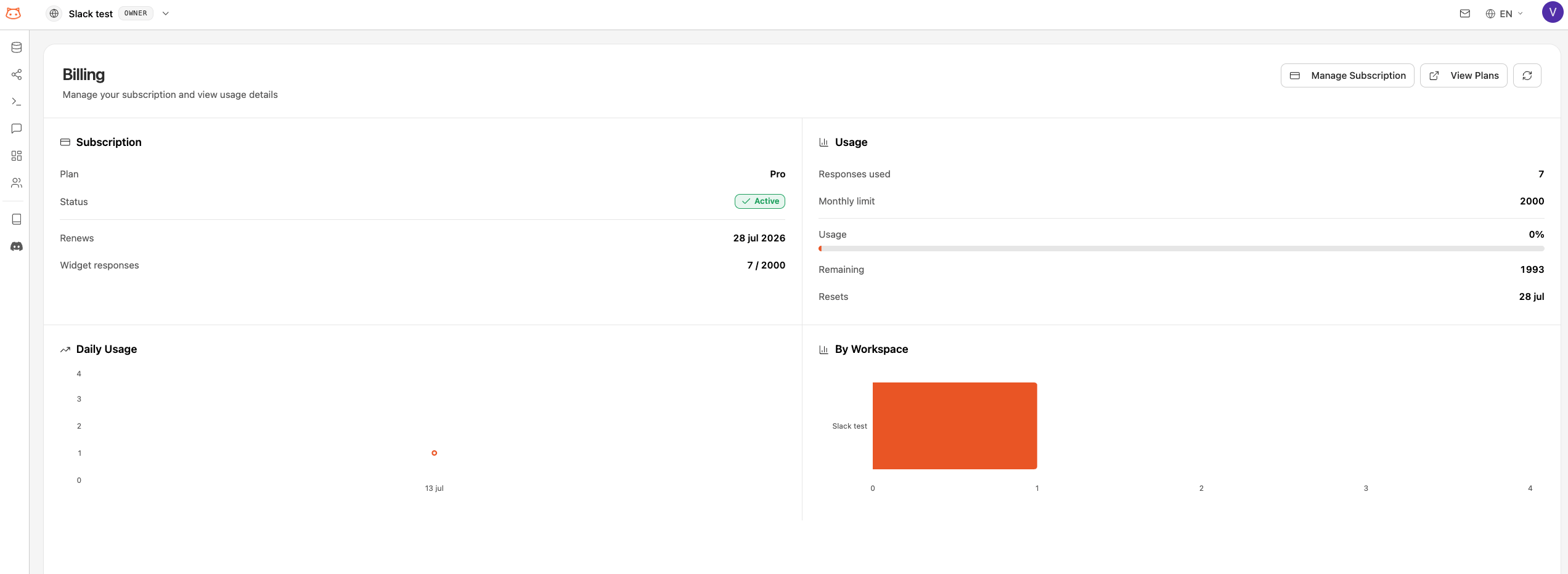
Open the Billing section from the dashboard sidebar.
2
View Subscription Card
Your current plan is displayed on a subscription card showing:
- Plan name and tier
- Monthly price
- Renewal date
- Current usage
Upgrading Your Plan
1
Go to Billing
Open the Billing section from the sidebar.
2
Choose a Higher Plan
You’ll see the available plans. Click Upgrade on the plan you want.
3
Complete Payment
You’ll be directed to a Stripe checkout page to enter or confirm your payment details. After payment, the upgrade takes effect immediately.
Downgrading Your Plan
1
Open Stripe Customer Portal
From the Billing section, click Manage Subscription to open the Stripe customer portal.
2
Select a Lower Plan
Choose the plan you want to downgrade to.
3
Confirm the Change
The downgrade takes effect at the end of your current billing cycle. You’ll keep your current plan’s features until then.
Managing Payment Methods
Through the Stripe Customer Portal, you can:- Update your credit card or payment method
- View past invoices and receipts
- Download invoices for accounting
Canceling Your Subscription
To cancel, open the Stripe Customer Portal and select Cancel Subscription. Your plan will remain active until the end of the current billing period, then revert to the Free plan.Canceling doesn’t delete your data. Your knowledge base, settings, and history remain intact. You can resubscribe at any time to pick up where you left off.
Next Step
Usage Tracking
Monitor how many bot responses you’ve used this month.