

Add URLs
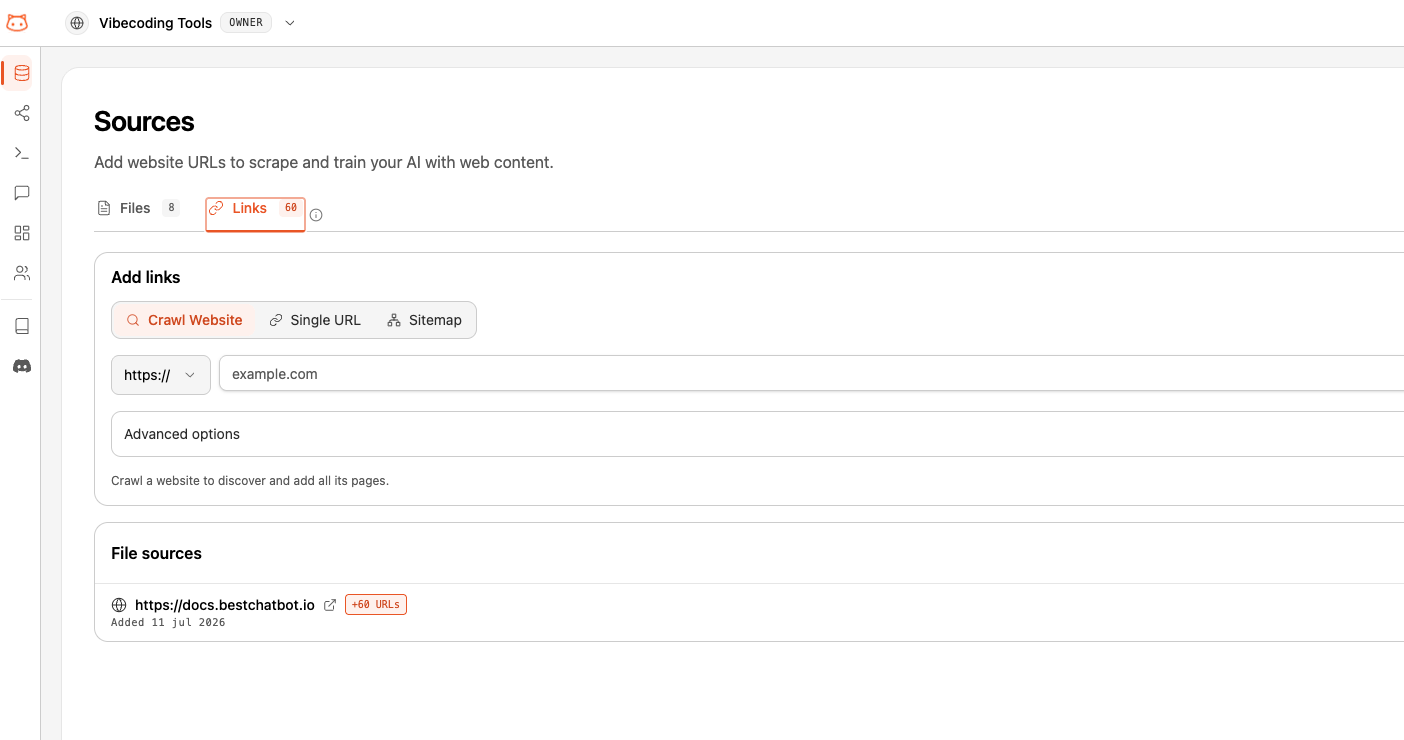
The Links tab in the Document Manager lets you add web content to your knowledge base. Instead of copying and pasting from websites, BestChatBot scrapes the content for you.Scraping Methods
BestChatBot offers three ways to add web content:Direct URL
Paste a single page URL. The bot scrapes just that page.
Sitemap
Provide a sitemap URL and BestChatBot discovers all pages automatically.
Crawl
Enter a starting URL and BestChatBot crawls the site following links to discover pages.
How to Add URLs
1
Open Document Manager
Go to Document Manager from the dashboard sidebar and switch to the Links tab.
2
Choose Your Method
Select whether you want to add a Direct URL, Sitemap, or Crawl.
3
Enter the URL
Paste the URL into the input field. For example:
- Direct:
https://yoursite.com/faq - Sitemap:
https://yoursite.com/sitemap.xml - Crawl:
https://yoursite.com/docs
4
Configure URL Filters (Optional)
Narrow down which pages get added using URL patterns. The available options depend on the method:
- Crawl — open Advanced options to set Include paths and Exclude paths. Only pages matching an include pattern are kept; pages matching an exclude pattern are skipped.
- Sitemap — set a single URL Pattern to keep only the matching entries. Leave it empty to import every URL in the sitemap.
*) and are matched against the page path. For example, docs/* keeps everything under /docs, and */blog/* matches any blog path.Enter one pattern per field. To target several distinct sections, run separate scrapes.
5
Start Scraping
Click the button to begin scraping. You’ll see progress as pages are discovered and processed.
Scraping time depends on the number of pages. A single page takes seconds; a full site crawl may take several minutes.
6
Rebuild Knowledge Base
After scraping completes, remember to Rebuild Knowledge Base so the bot can use the new content.
Scraped Pages Limits
Each plan includes a set number of pages you can add from URLs. Every URL in your knowledge base counts toward this limit — whether it was added as a direct URL, discovered from a sitemap, or found during a crawl.Managing Scraped Content
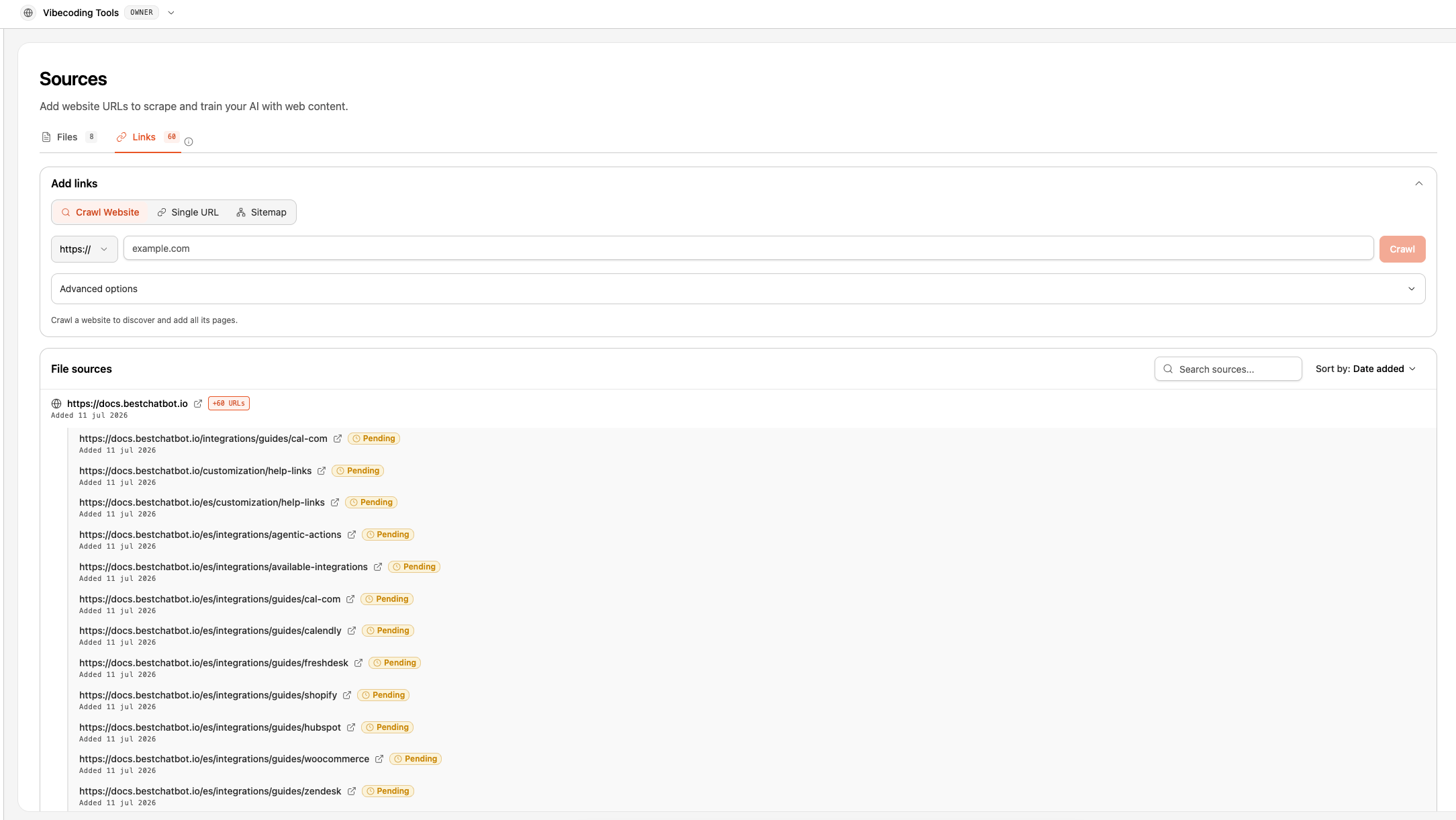
Scraped pages appear alongside uploaded documents in your knowledge base. You can:- View the URL and scrape date
- Delete individual scraped pages
- Re-scrape a URL to get updated content
Next Steps
Rebuild Knowledge Base
Process your new content.
Upload Documents
Add PDFs, DOCX, TXT, or MD files.