

Rebuild Knowledge Base
After you add or remove content (documents or URLs), you need to rebuild the knowledge base. This processes your content and makes it available for the bot to use when answering questions.When to Rebuild
You should rebuild your knowledge base when you:- Upload new documents
- Scrape new URLs
- Delete existing content
How to Rebuild
1
Open Knowledge Base Panel
In the dashboard sidebar, look for the Knowledge Base section or the rebuild button in the Document Manager.
2
Click Rebuild
Click the Rebuild Knowledge Base button to start the process.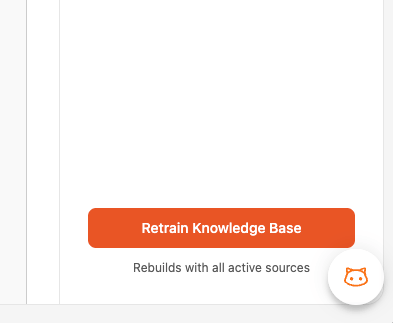
3
Wait for Completion
You’ll see a progress indicator showing the rebuild status. The time depends on the amount and density of your content. Smaller knowledge bases finish faster, while larger ones with many documents and URLs take longer.
4
Verify Status
Once complete, the status will update to show the rebuild was successful. The bot is now using your latest content.
What Happens During a Rebuild
When you rebuild, BestChatBot replaces the entire knowledge base with a fresh version built from your current sources:- Clears the existing knowledge base completely
- Discards sources marked as deleted
- Fetches content for any pending sources (e.g., new URLs that haven’t been scraped yet)
- Re-processes all active sources from scratch to build the new knowledge base
- Activates the new knowledge for the bot to use
Daily Rebuild Limits
Each plan includes a limited number of rebuilds per day:Once you reach your daily rebuild limit, you’ll need to wait until the next day or upgrade your plan for more rebuilds.
Rebuild Best Practices
Next Steps
Test Your Bot
Verify the bot answers correctly after rebuilding.
View Knowledge Graph
Explore the connections between your content.