

Q&A Learning System
One of BestChatBot’s most powerful features is its ability to learn from real conversations happening in your Discord server. When moderators answer questions, the bot remembers those answers for the future.How It Works
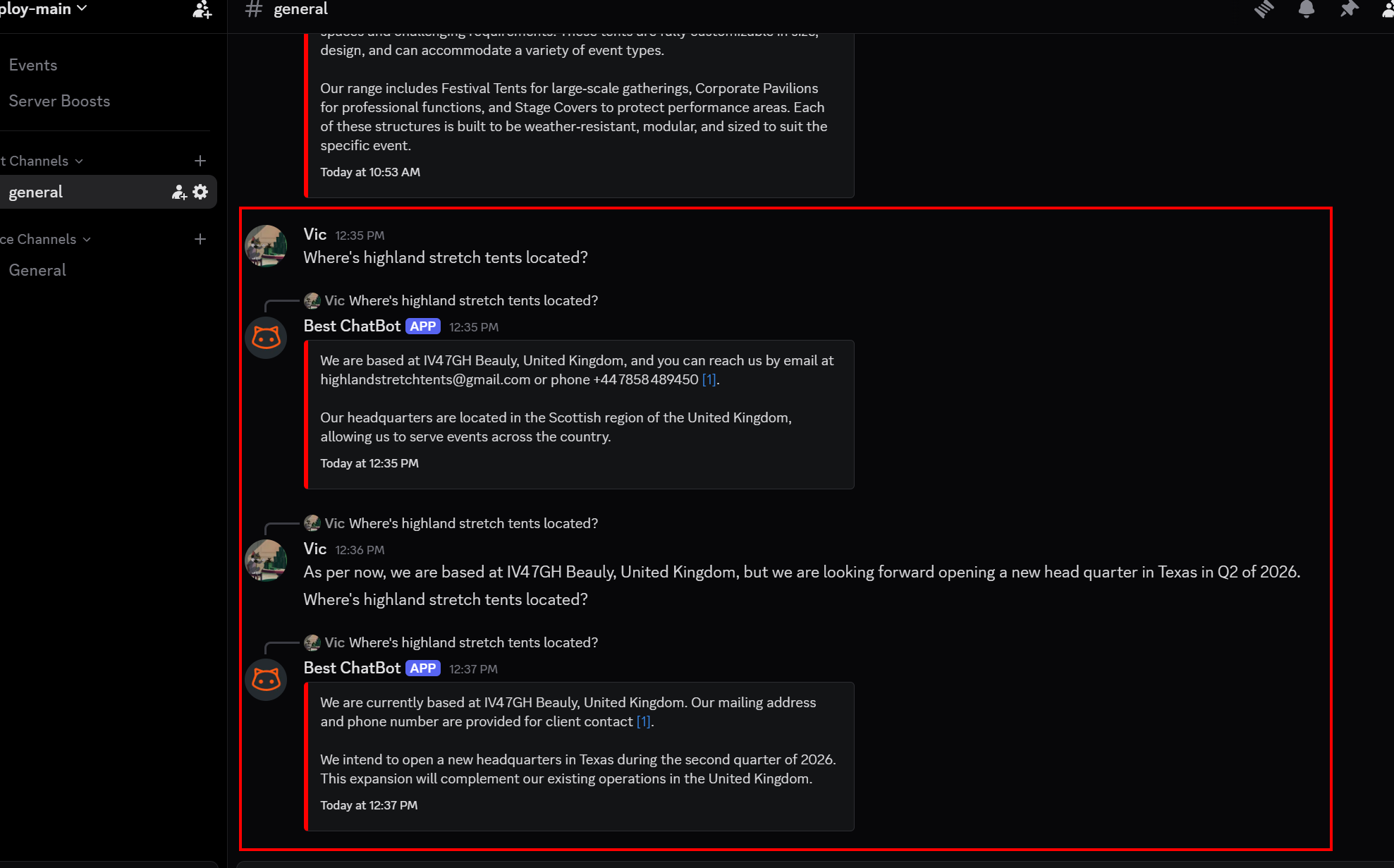
A User Asks a Question
Someone in your community asks a question in a channel where the bot is active.
BestChatBot Evaluates the Exchange
The bot applies intelligent filtering to determine if the moderator’s answer adds valuable, knowledge-base-related information. Only responses that contribute new, factual knowledge are captured as Q&A entries. Casual replies, off-topic messages, and redundant information are automatically filtered out.
Why This Matters
Continuous Improvement
The bot gets smarter over time without you doing anything extra.
Community Voice
Answers reflect your team’s tone and expertise, not generic AI responses.
Reduced Workload
Moderators answer a question once, and the bot handles it from then on.
Always Accurate
Since answers come from your own team, they’re specific to your product and community.
Viewing Q&A Entries
You can view all captured Q&A pairs in the Document Manager:- Open the Document Manager from the sidebar
- Look for entries marked as Q&A sources
- Each entry shows the original question and the moderator’s answer
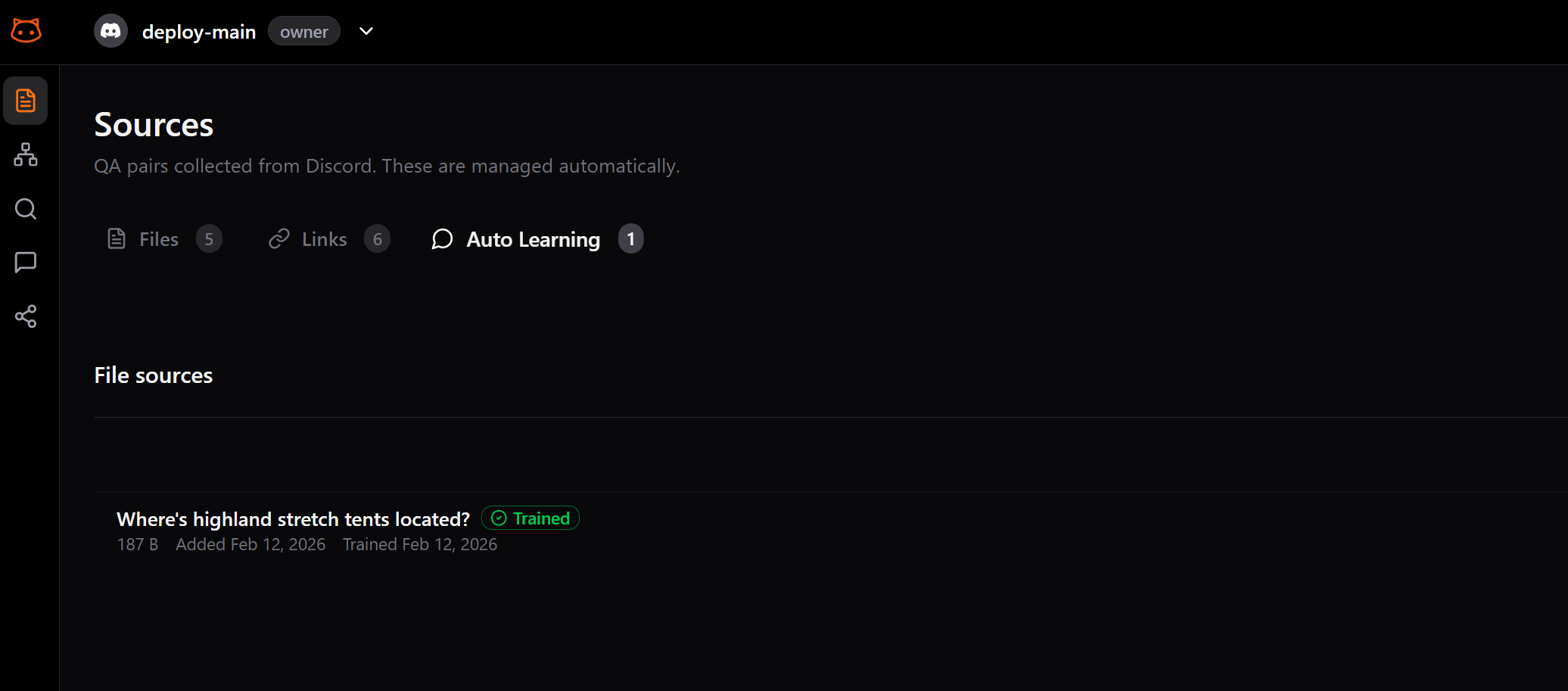
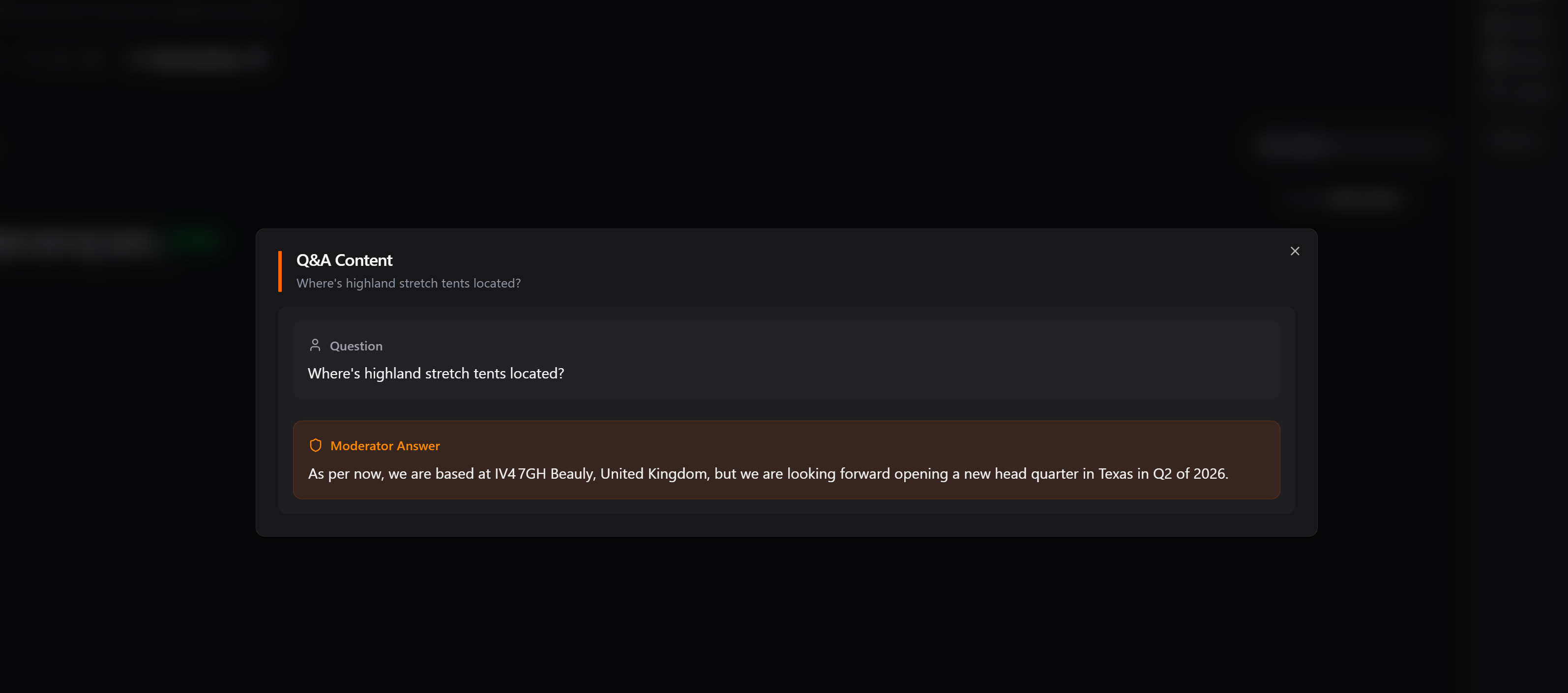
Q&A entries are included in the knowledge base just like uploaded documents and scraped pages. After a rebuild, the bot can use them to answer future questions.
Tips for Better Q&A Learning
- Encourage detailed moderator answers:The more complete the answer, the better the bot learns
- Keep answers on-topic:Off-topic responses may confuse the bot
- Rebuild periodically:Rebuild the knowledge base to incorporate recent Q&A entries
Next Step
Rebuild Knowledge Base
Process all your content including Q&A entries.